





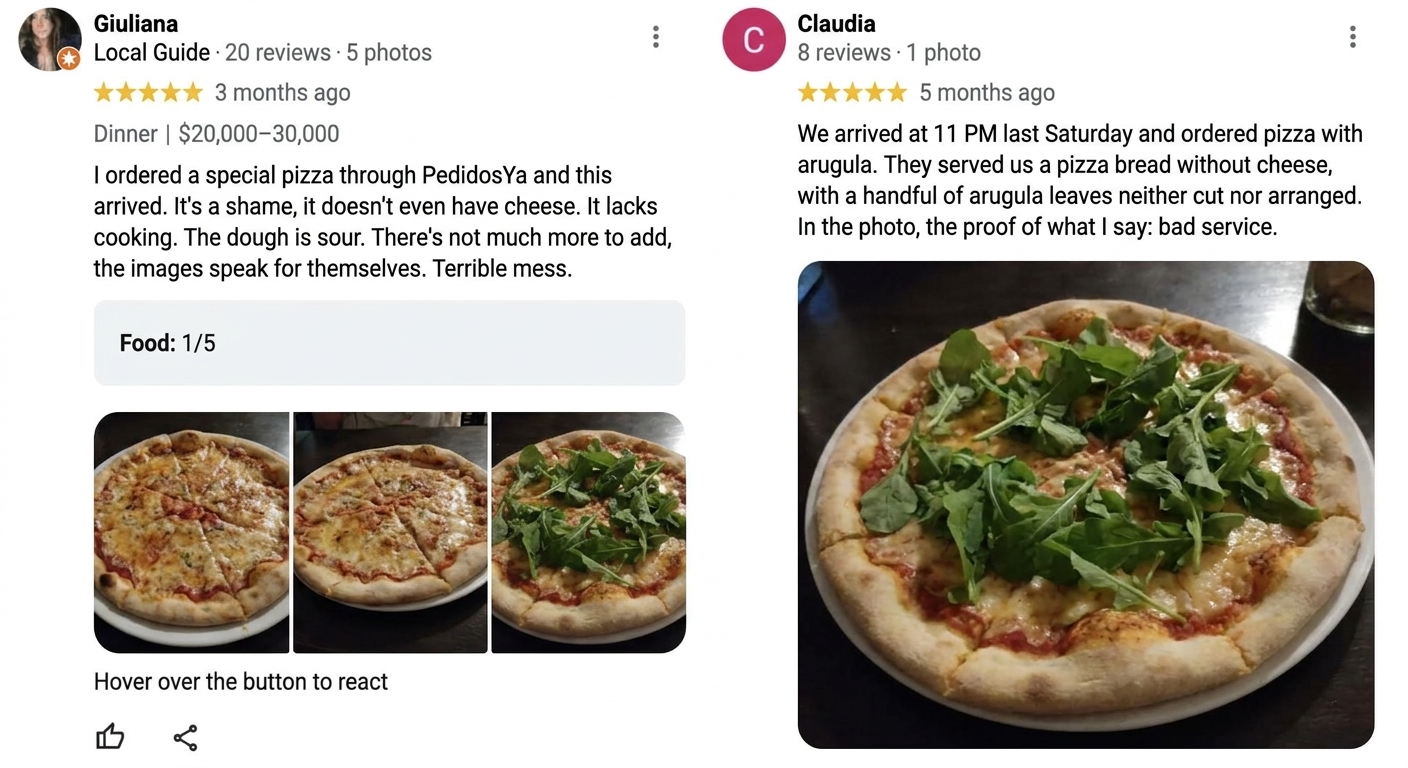
The problem with replying to reviews manually
When each location receives reviews every day, teams struggle to reply on time.
This impacts reputation, customer experience, local SEO signals, and team efficiency.
- late responses
- different criteria by location
- operational overload for the team
- negative reviews with no clear priority
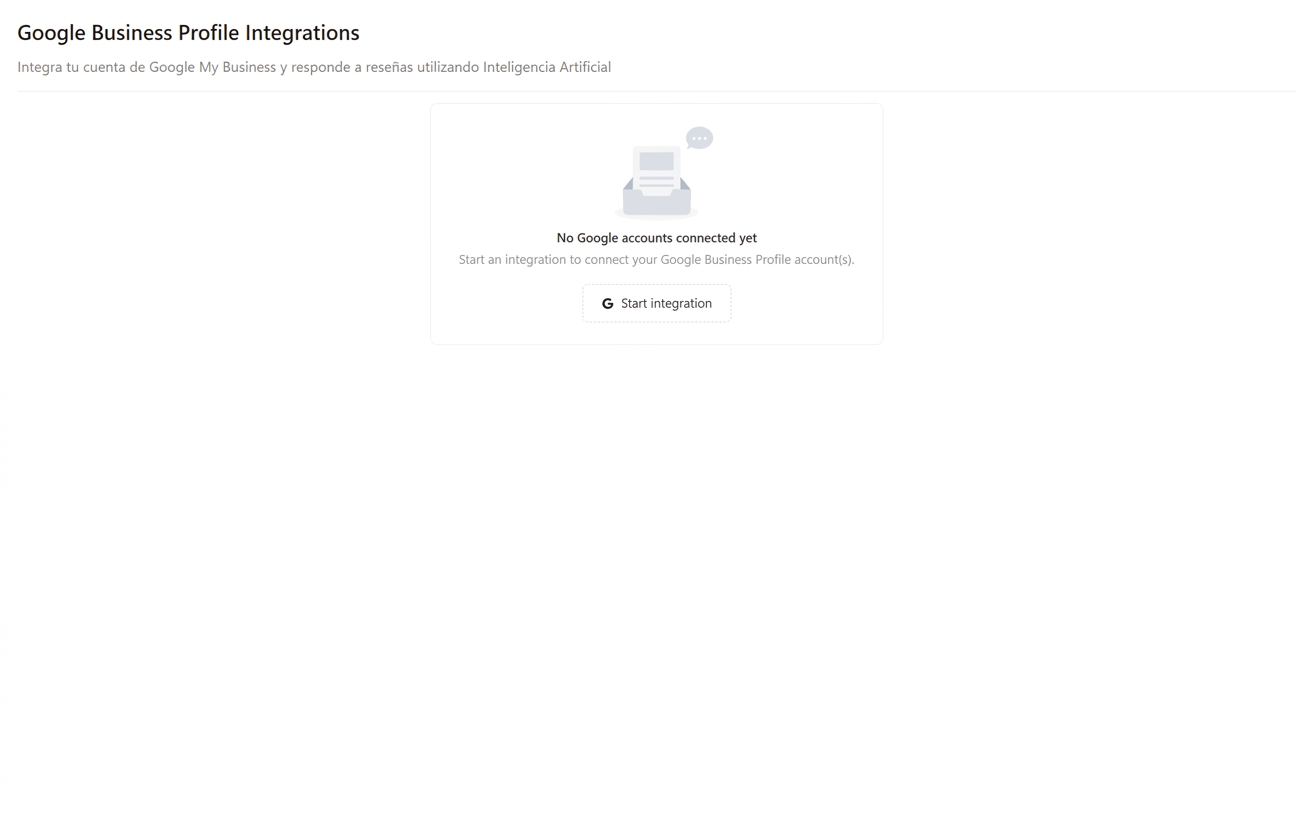
How Google review response automation works
For a multi-location restaurant example, see how Baires Grill used Cacao to keep review replies consistent across locations while maintaining centralized supervision.
1. Detect new Google reviews through GBP API webhooks
Cacao is integrated with the Google Business Profile API. When a customer leaves a review, Google sends a webhook notification so the response workflow can start quickly.
2. Generate a response from scratch with OpenAI and profile context
The review is sent to OpenAI with context from the business profile, including the branch name, business description, primary category, and SEO keywords connected to that location.
3. Auto-publish or route for approval
Cacao can publish the AI-generated response back to Google automatically, usually within 6 to 9 minutes, or send the draft to the right user for review, editing, and approval first.
4. Measure performance by location
Track automated response rate, time to publication, failed responses, escalated reviews, unanswered reviews, negative reviews, rating trends, and recurring topics across locations.
Choose the right workflow for each review type
Cacao does not force every team into the same automation model. Brands can run fully automated replies, approval-based replies, or a hybrid workflow where routine positive reviews publish automatically while negative or sensitive reviews wait for a manager.
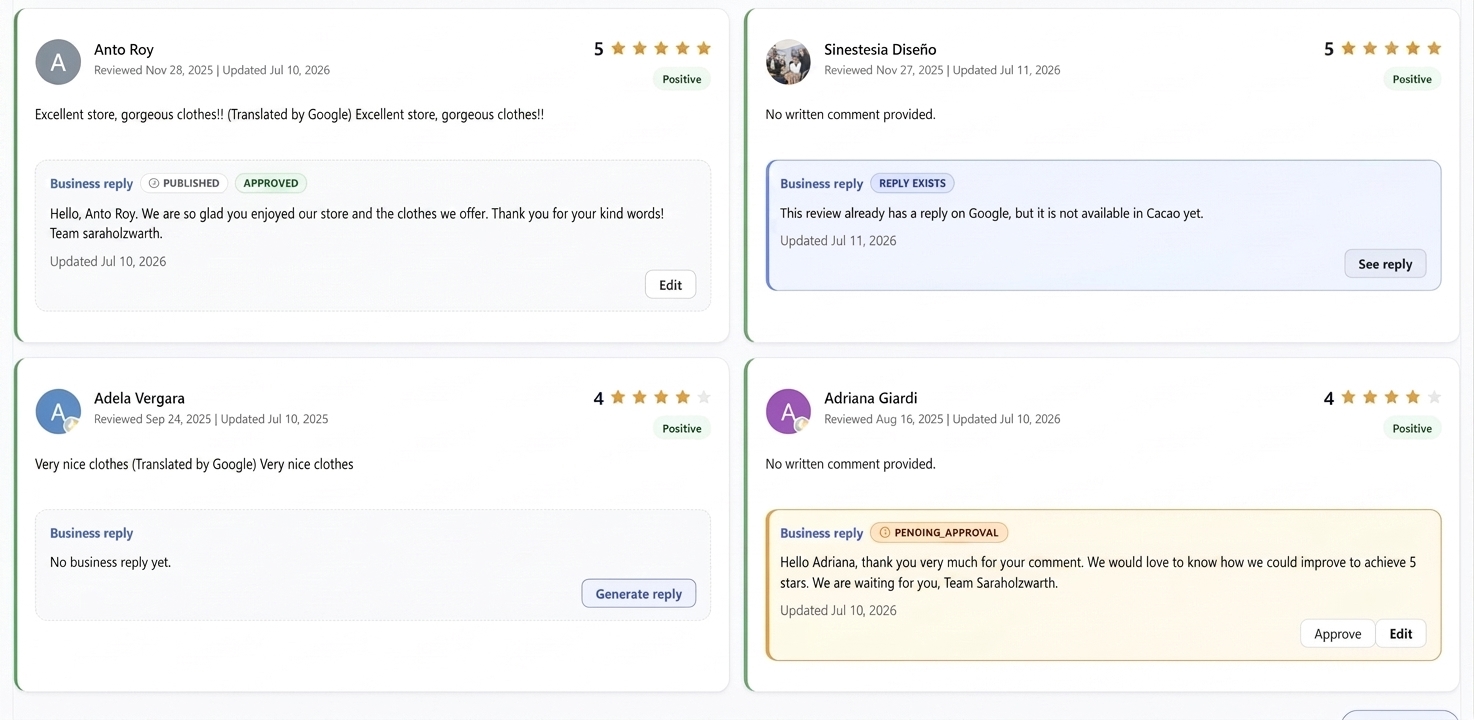
Every response state stays visible in the dashboard, so teams know whether a review has no business reply yet, needs a generated draft, is pending approval, has been approved, is already published on Google, or has an existing Google reply that still needs to sync into Cacao.
- generate a reply on demand when a user wants manual control
- approve or edit AI drafts before publishing
- auto-publish positive reviews when the brand wants speed
- require approval for negative, sensitive, or low-confidence reviews
- edit replies after they have already been published on Google
- detect when a reply already exists on Google
- keep published, approved, pending approval, and no-reply states visible
Configure which reviews Cacao responds to
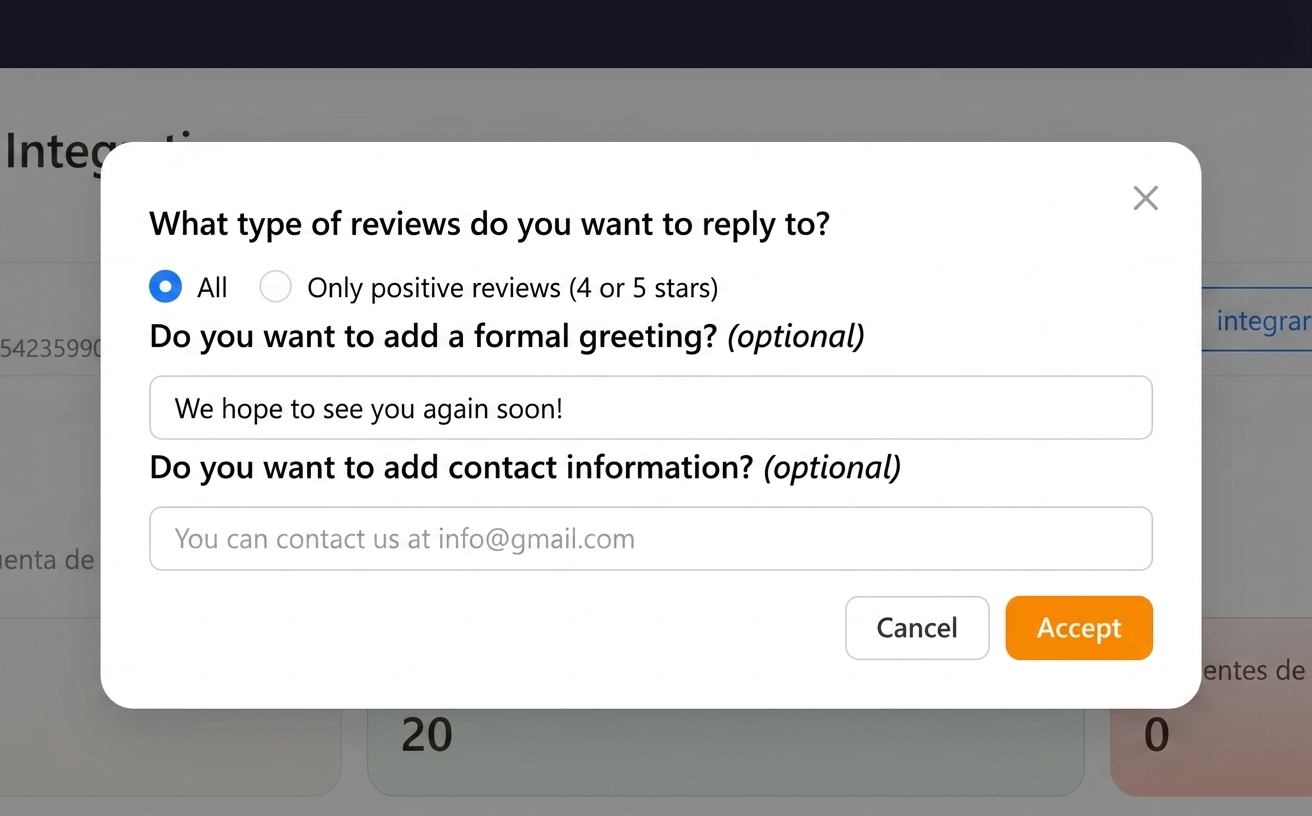
Cacao can be configured by client to publish AI responses automatically for all reviews, only negative reviews, or only positive reviews.
Negative reviews are reviews below 4 stars. For negative-review replies, teams can define location-specific contact details so the customer has a clear recovery path.
Teams can also add a closing greeting or signature to keep responses consistent with the brand, define exclusion rules for reviews that should not be answered automatically, and decide which roles can approve or publish replies for each location.
- automatic replies for all Google reviews
- automatic replies only for negative reviews
- automatic replies only for positive reviews
- approval workflows for negative or sensitive reviews
- corporate, regional, and local permissions by assigned location
- custom exclusion rules for sensitive or exception cases
- contact details for negative-review recovery paths
- configurable closing greeting or signature
- automation that can be active for one location and paused for another
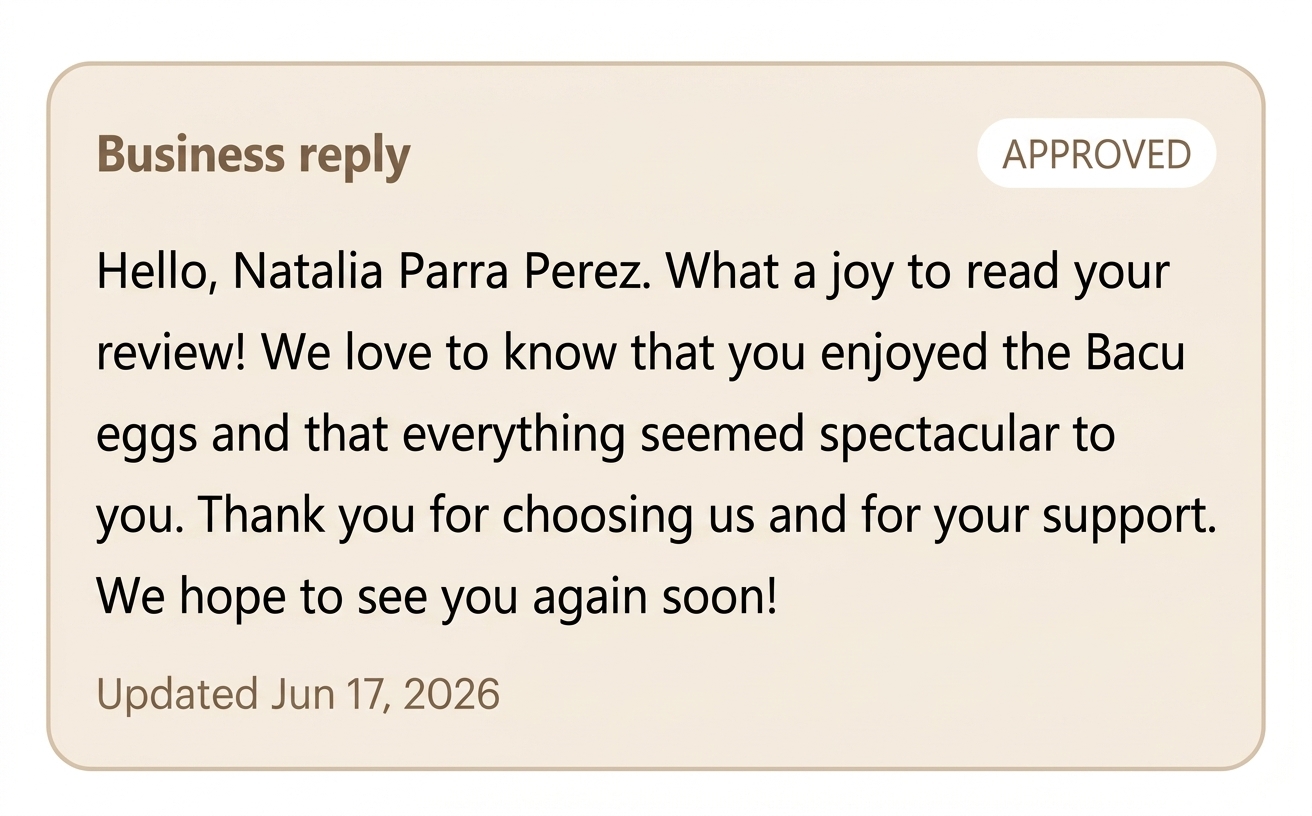
Personalized and SEO-friendly replies
The goal is not only to answer politely. Cacao uses business-profile context so responses can reference the right local details and reinforce the SEO keywords already connected to the Google Business Profile.
Responses are generated in the language of the review, which helps multi-country and multi-brand teams keep replies relevant without asking each local manager to write manually.
- branch name and business description
- primary Google Business Profile category
- SEO keywords connected to each location
- location-specific recovery information for negative reviews
- same language as the customer review
- personalized, brand-consistent, and local SEO-friendly wording
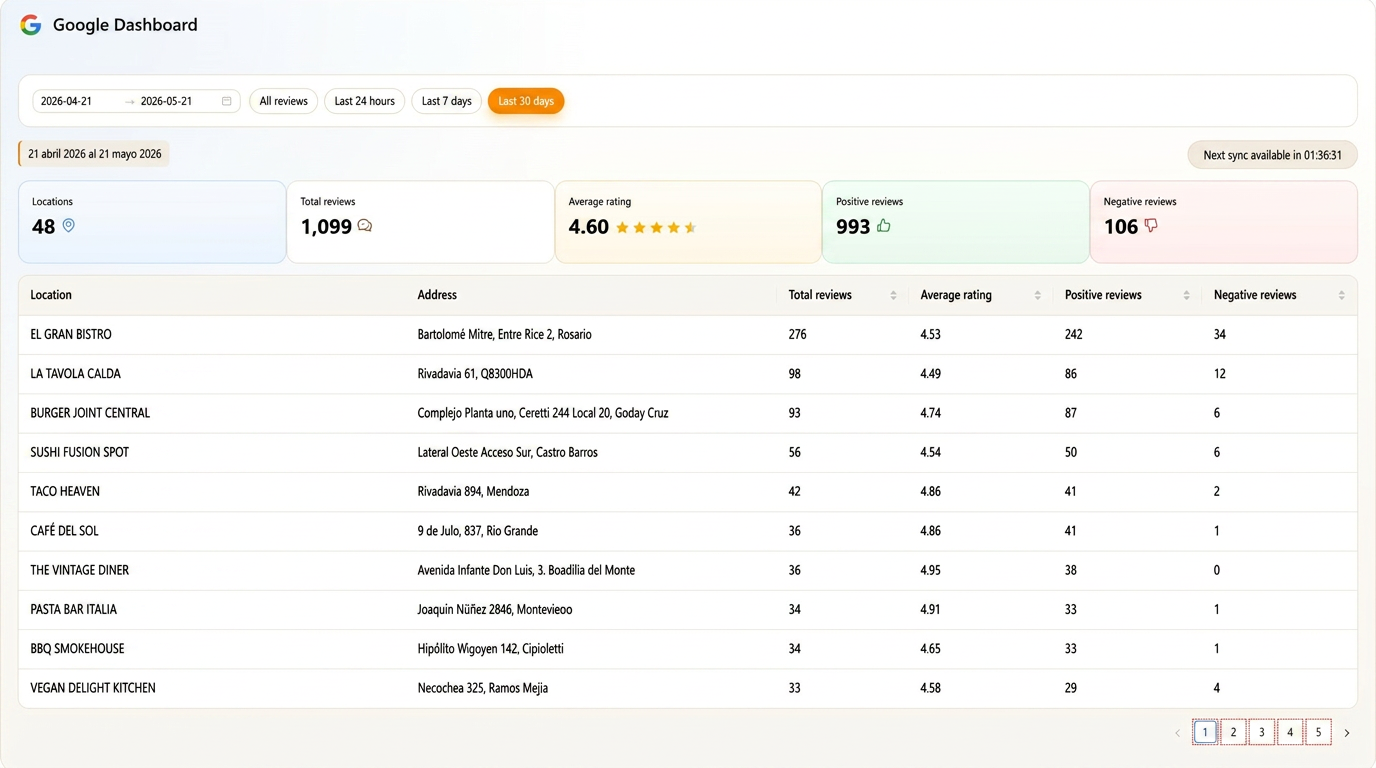
Manage responses from one dashboard
- centralized inbox for all locations
- automatic detection of negative reviews under 4 stars
- filters by location, rating, sentiment, response status, and assigned team
- brand consistency in every response
- drafts that teams can approve, edit, or publish manually
- published responses that teams can still edit
- automation controls that can be enabled or paused by location
- response time, pending replies, unanswered reviews, and SLA reporting
- Google account integration for every connected business profile
- less manual workload for the team
- Coordinate the workflow from an Google reviews dashboard to prioritize responses and measure performance by location.
Automation works better with centralized review operations
AI-powered replies solve one part of the workflow, but operations scale better when your team also has a Google review response management tool that organizes owners, monitors reviews, and coordinates reputation across every location.
For restaurant groups, see how this works inside a full comparison of Google reputation and profile management software for multi-location businesses.
If your team also needs automated review requests, dashboards, and AI replies in one workflow, compare tools that combine review collection and AI replies before choosing a platform.
For multi-location businesses comparing review response software, this workflow helps local teams respond quickly while headquarters keeps response quality and brand tone consistent across every location. Restaurant groups can also compare restaurant review response platforms by automation, channel coverage, permissions, recovery workflows, and reporting.
Teams comparing broader local marketing suites can also review multi-location marketing platforms for review management to see how AI responses, Google listings, per-location access, reporting, email marketing, and customer activation fit together.
Because Cacao is focused on Google reviews, the review response automation platform connects directly to Google Business Profile instead of relying on generic templates or cross-channel workarounds.
Scale review responses with AI
Request a demo and see how your team can reply faster with consistent brand tone across all locations.
Frequently asked questions
What is a review response automation platform?
A review response automation platform helps teams detect new reviews, generate personalized replies with AI, decide whether responses should publish automatically or require approval, and manage response rules from one workflow. Cacao focuses this workflow on Google reviews, with controls for rating, location, role, language, and exception cases.
Can Cacao automatically respond to Google reviews without manual approval?
Yes. Cacao can automatically publish AI-generated responses through the Google Business Profile API. Teams can also require approval first and control the workflow with rules by rating, location, role, language, and custom exclusion conditions.
Can teams approve or edit replies before publishing?
Yes. Teams can use approval-based workflows where Cacao generates a draft, the right user reviews or edits it, and the reply is published only after approval.
Can positive and negative reviews follow different rules?
Yes. A common setup is to auto-publish routine positive replies while routing negative, sensitive, or exception reviews to a manager for approval or escalation.
Can I automate only positive or negative review responses?
Yes. Cacao can be configured to respond to all reviews, only positive reviews, or only negative reviews. Teams can also use a hybrid workflow, such as auto-publishing positive replies while sending negative reviews to a manager for editing, approval, or escalation.
Does Cacao use templates for review responses?
No. Cacao generates each response from scratch with OpenAI using the review text, branch name, business description, primary category, and SEO keywords connected to the location.
Can we choose which reviews Cacao responds to?
Yes. The workflow can be configured by client to respond to all reviews, only negative reviews, or only positive reviews. In Cacao, negative reviews are reviews below 4 stars, and automation can be enabled or paused by location.
Does Cacao use business profile context in the response?
Yes. Cacao can use profile-specific context such as the branch name, business description, primary category, and SEO keywords to generate personalized and local SEO-friendly responses.
Can teams edit automated responses after publication?
Yes. Cacao publishes responses automatically, and teams can edit published responses later from the dashboard while keeping automation active.
Can Cacao track response time and pending approvals?
Yes. Multi-location teams can track response time, unanswered reviews, pending approvals, unresolved negative reviews, and performance by location, region, country, or team.
Does Cacao respond in the customer review language?
Yes. Cacao generates the response in the language of the review, so multi-country teams can keep replies relevant across connected Google Business Profiles.