




Google Business Profile and listings
Apply bulk profile and listing updates across selected locations.

Cacao helps multi-location businesses monitor, respond to, generate, and analyze Google reviews from one dashboard while keeping local teams responsible for their own locations.
7 days free. All Cacao features. No credit card required.




Cacao is an enterprise review and reputation management platform focused on Google. Coordinate requests, responses, analytics, and Business Profile management across brands, countries, and locations. Corporate keeps network visibility while regional managers and franchisees work within their assigned access.

Organize Google review management as Group → Brands → Locations. Grupo Popular manages Pizzería Popular, Lomitería Popular, and Milanesería Popular through one Cacao login, connecting a separate Google account and its corresponding locations for each brand.
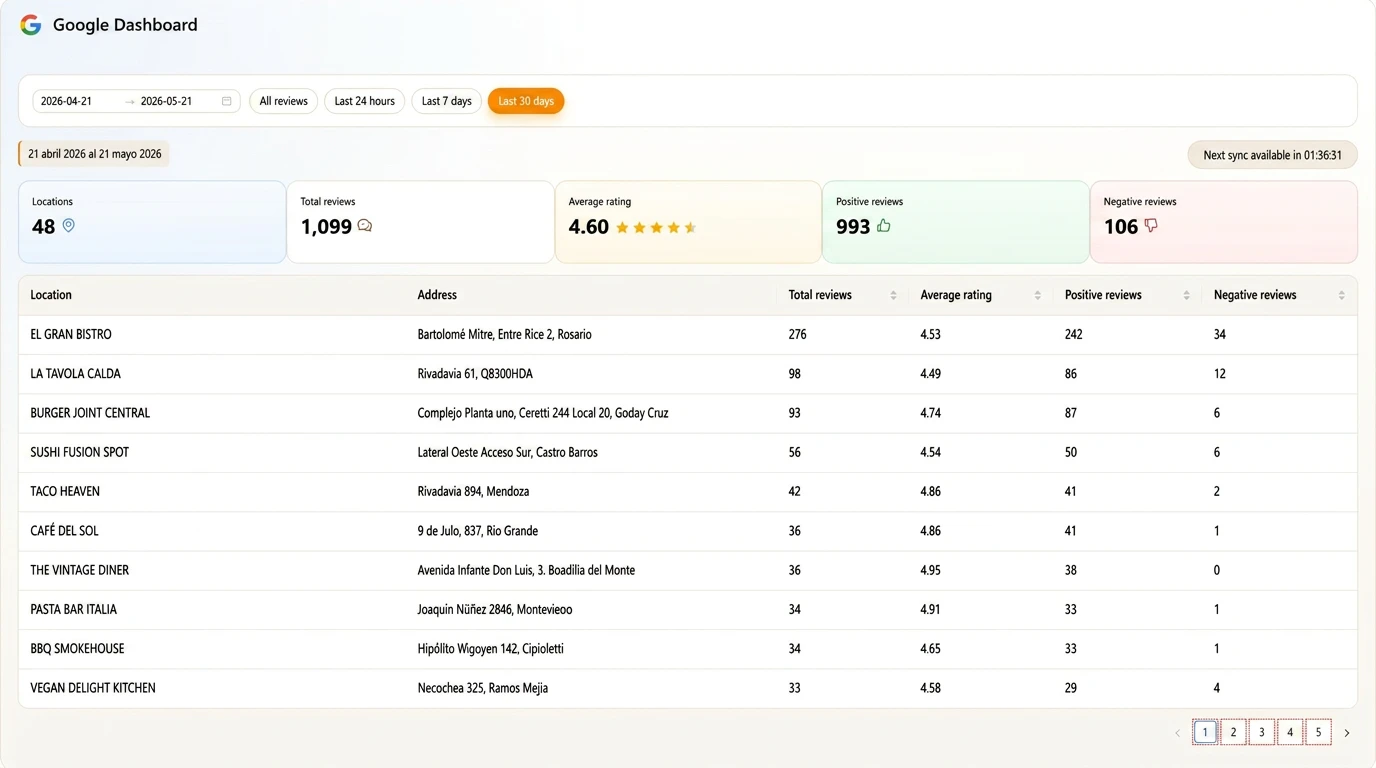
Read and manage new, unanswered, and negative Google reviews across connected locations in one workspace. For an illustrative 800-location chain, corporate keeps network visibility while authorized teams handle reviews for their assigned branches.
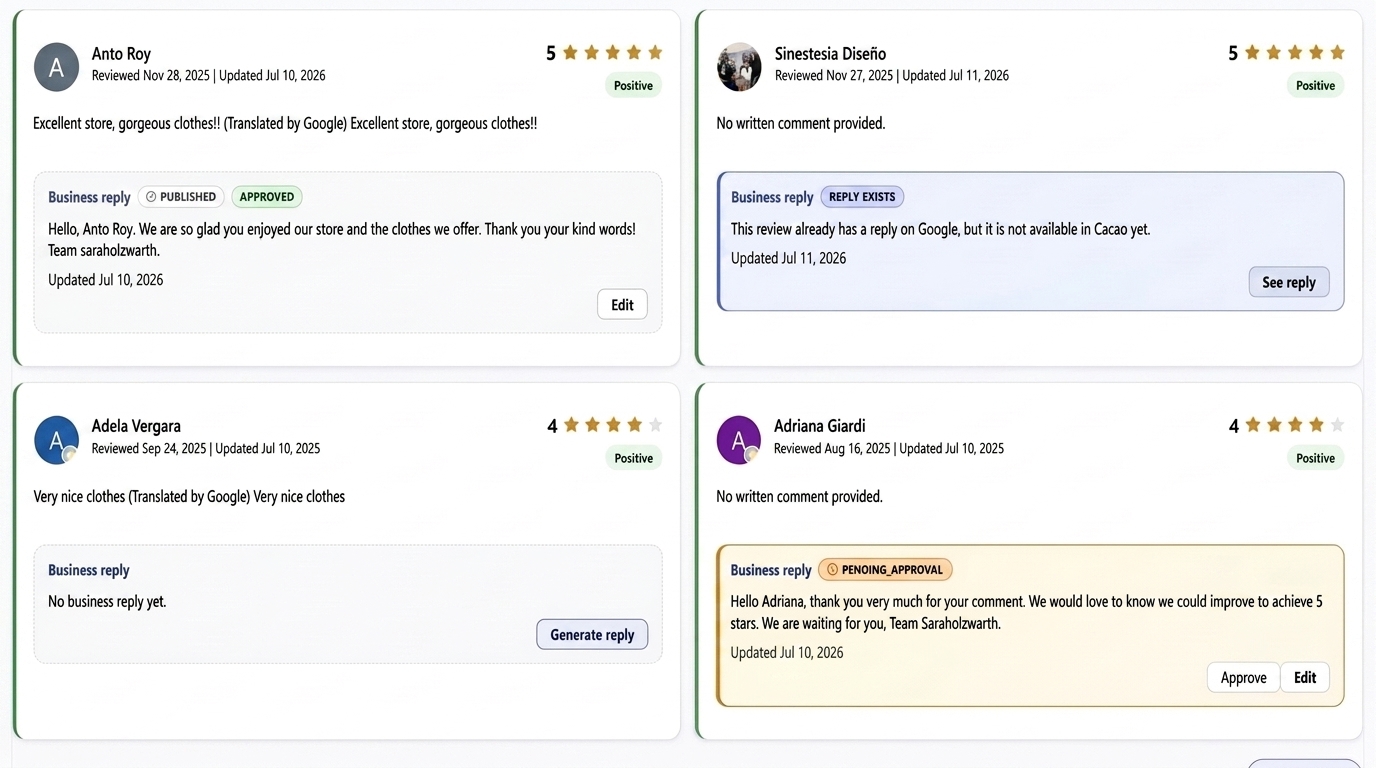
Reply with AI assistance or configured automation while keeping brand tone, approval rules, and location context under control.

Built for headquarters, regional managers, agencies, and local teams, so each user can work only on the brands, regions, locations, and reviews they are responsible for.
Generate more Google reviews for the correct location through QR codes, direct links, WhatsApp, email, SMS, geolocation, and POS workflows.
Negative ratings and comments, including complaints in good-rated Google reviews, can trigger an immediate email when feedback arrives in Cacao. Alerts identify the category, assigned subcategory, and location.
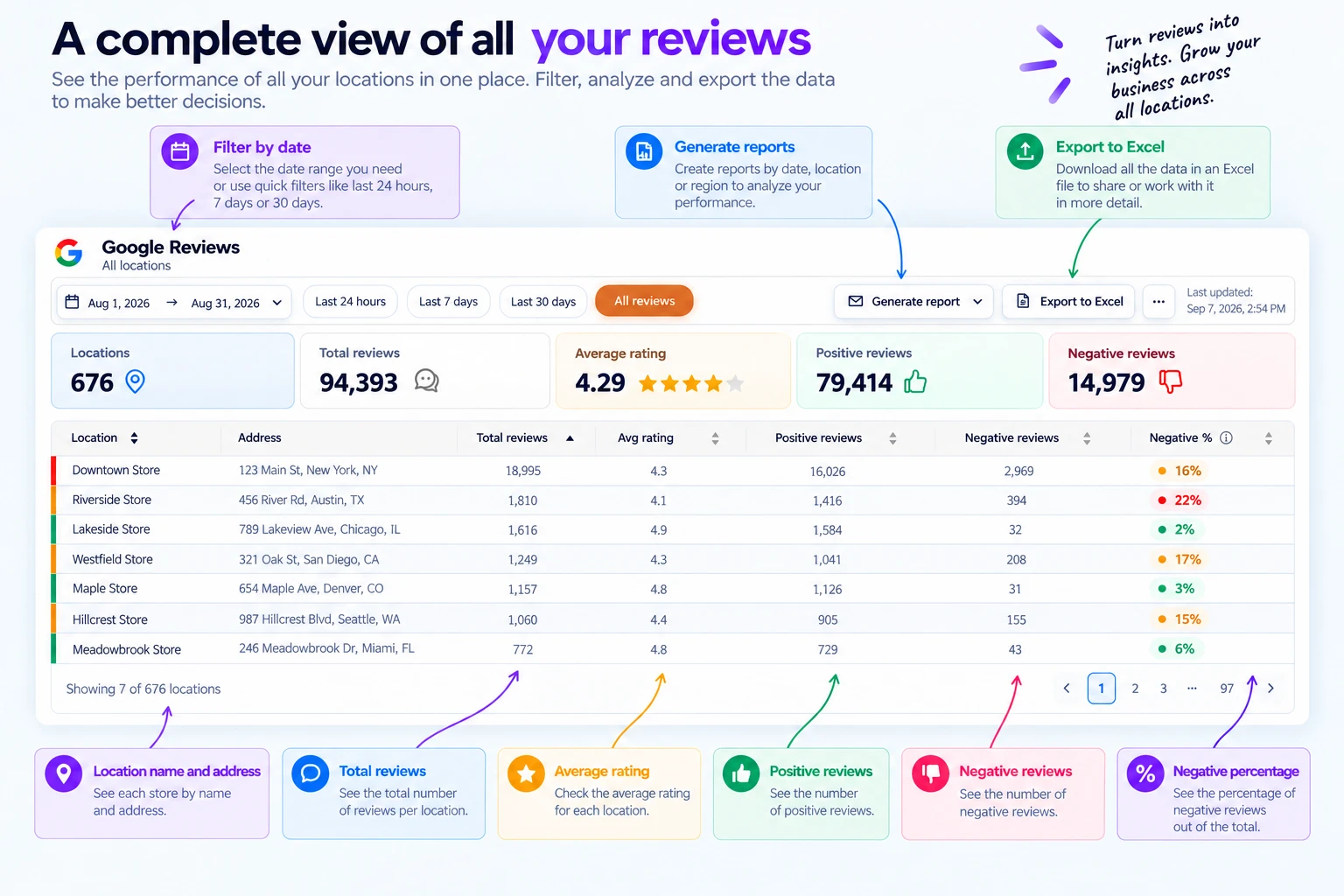
Compare ratings, review volume, response activity, sentiment, and trends by location, region, brand, country, or assigned team.
Organize locations into configurable groups for countries, regions, or operational responsibilities. Corporate keeps consolidated visibility while regional and local teams work within their assigned locations. Steren uses Cacao to centralize 800 Google Business Profiles across nine countries.
Connect each Google review with its location, the people responsible, and a consistent response workflow.
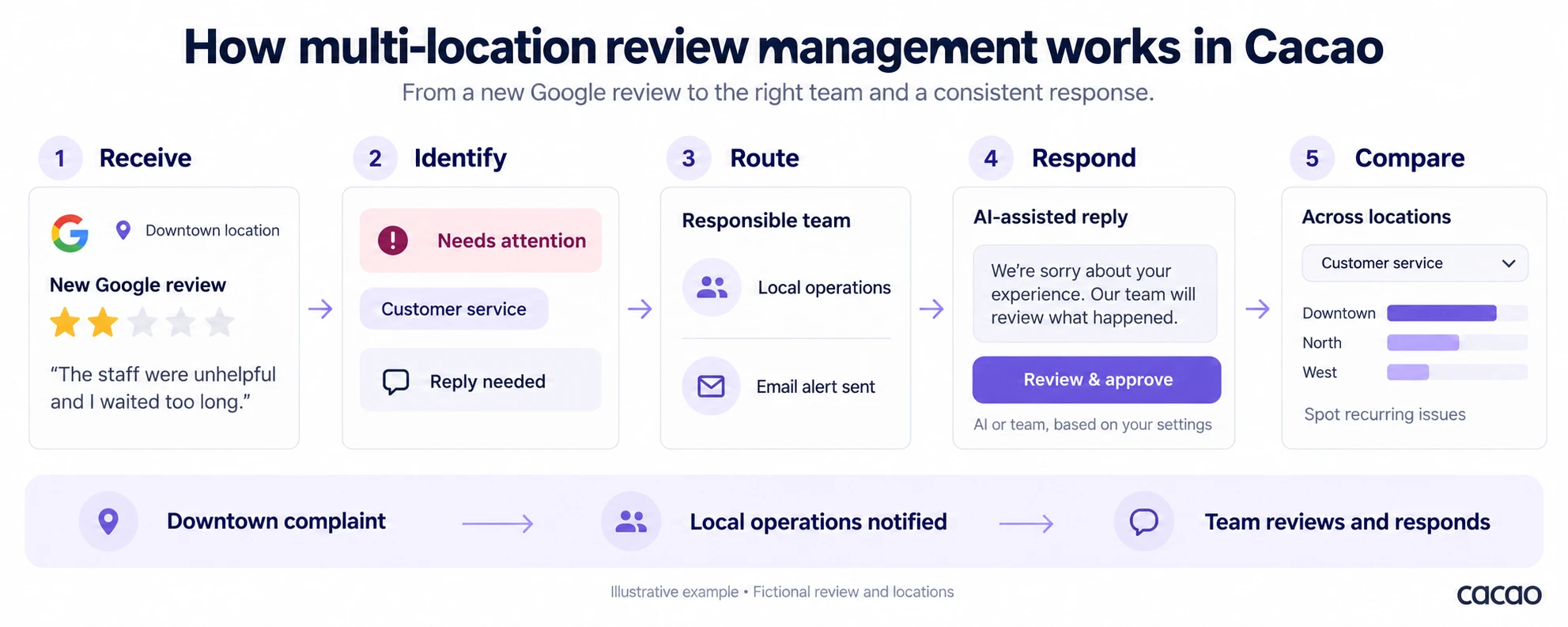
Illustrative example: a fictional two-star review reports unhelpful staff and a long wait at the Downtown location. A configured customer-service rule notifies local operations. An authorized team member reviews the issue, manages follow-up in Cacao, and responds. Teams then compare customer-service feedback across locations; sending an alert does not by itself resolve the complaint.
Apply bulk profile and listing updates across selected locations.
Connect review requests with the customer workflows you already use.
Manage multiple brands, regions, and countries from the same account.
Restaurant groups, retailers, and franchise networks use Cacao to combine centralized visibility with regional and local execution.
Alongside its regional review operation, Grupo Popular uses customer-defined categories to automatically notify the department that needs to know about a negative review. Each alert includes the review and branch context; the scale figures describe the broader operation.

Cacao is a strong fit when Google reviews are a priority and your team needs to collect reviews, coordinate responses, route complaints, and compare performance across locations.
Headquarters gets visibility across the network, while regional and local teams work on their assigned locations. Businesses requiring review management across Yelp, Tripadvisor, and other external platforms should evaluate broader multi-channel solutions.
Start your 7-day free trial to see how headquarters, regional teams, and local managers automate responses, handle negative reviews, generate reviews, and track performance together. Get 7-day free access with no credit card required.
Get startedCreate a Cacao account, connect your Google user account and grant the required permissions. Choose which locations Cacao can access, configure automatic, semi-automatic or hybrid review responses, and set up your categories. You can complete these steps yourself in the setup wizard. Start your free trial.
The 7-day trial includes all Cacao features without usage limits during the trial. It is not a restricted product demonstration: you can configure the platform with the locations you choose to connect. Start your free trial.
Cacao provides an indicative US-only example of USD 2,500 per month for 100 profiles, subject to a final quote, including taxes, unlimited users, monthly billing, and no minimum commitment. AI responses and automatic publishing, approvals, location permissions, review-generation tools, profile management, and reports are included. WhatsApp, SMS, and email request delivery, third-party integrations, and project-specific services are quoted separately. Review Cacao pricing for the published tiers and request a proposal for your network. This example does not establish rates for other network sizes or markets.
Multi-location review management is the process of generating, monitoring, responding to, escalating, and analyzing customer reviews across every location in a business network. It gives headquarters visibility across the full network while regional, agency, and local teams act on the reviews they own.
Multi-location review management software helps businesses manage Google reviews across many locations from one workflow. It should centralize monitoring, support location-based access, help teams respond faster, alert managers about negative reviews, generate new reviews, and report performance by location, region, brand, or country.
Start with this product page if you want to see how Cacao manages Google reviews across locations. For a broader buying-guide comparison, read our guide to the best review management tools for multi-location businesses. If you are evaluating retail-specific options, see our guide to the best review management platforms for multi-location retail.
Multi-location businesses manage Google reviews at scale by connecting every Google Business Profile to one platform, assigning ownership by location or region, prioritizing unanswered and negative reviews, using AI-assisted response workflows, generating reviews for the correct profile, and comparing performance across locations. For the operating model behind this, read our guide to multi-location review management operating model.
Yes. Cacao lets headquarters, regional managers, agencies, and local teams use the same platform with access determined by the brands, regions, locations, and reviews assigned to each user. This keeps corporate teams informed while local teams can respond and act without exposing the full account.
Yes. Cacao gives multi-location teams a centralized Google reviews dashboard to compare ratings, review volume, response activity, negative feedback, sentiment, and trends by location, region, brand, or country. For dashboard and reporting strategy, see our guide to multi-location marketing dashboards.
Multi-location businesses can increase Google reviews with structured request workflows such as QR codes, direct links, email, SMS, WhatsApp, POS integrations, and geolocation-based routing that sends each customer to the correct Google Business Profile. For a dedicated buying guide, see review generation software for multi-location businesses.
Review management supports multi-location reputation by giving every location a consistent process for generating reviews, responding to customers, handling negative feedback, and reporting performance. For the broader category that also includes reputation and Google presence management, see our guide to Google reputation management software for multi-location businesses.
 Baires Grill
 Vital Supermayorista
 PresCar