





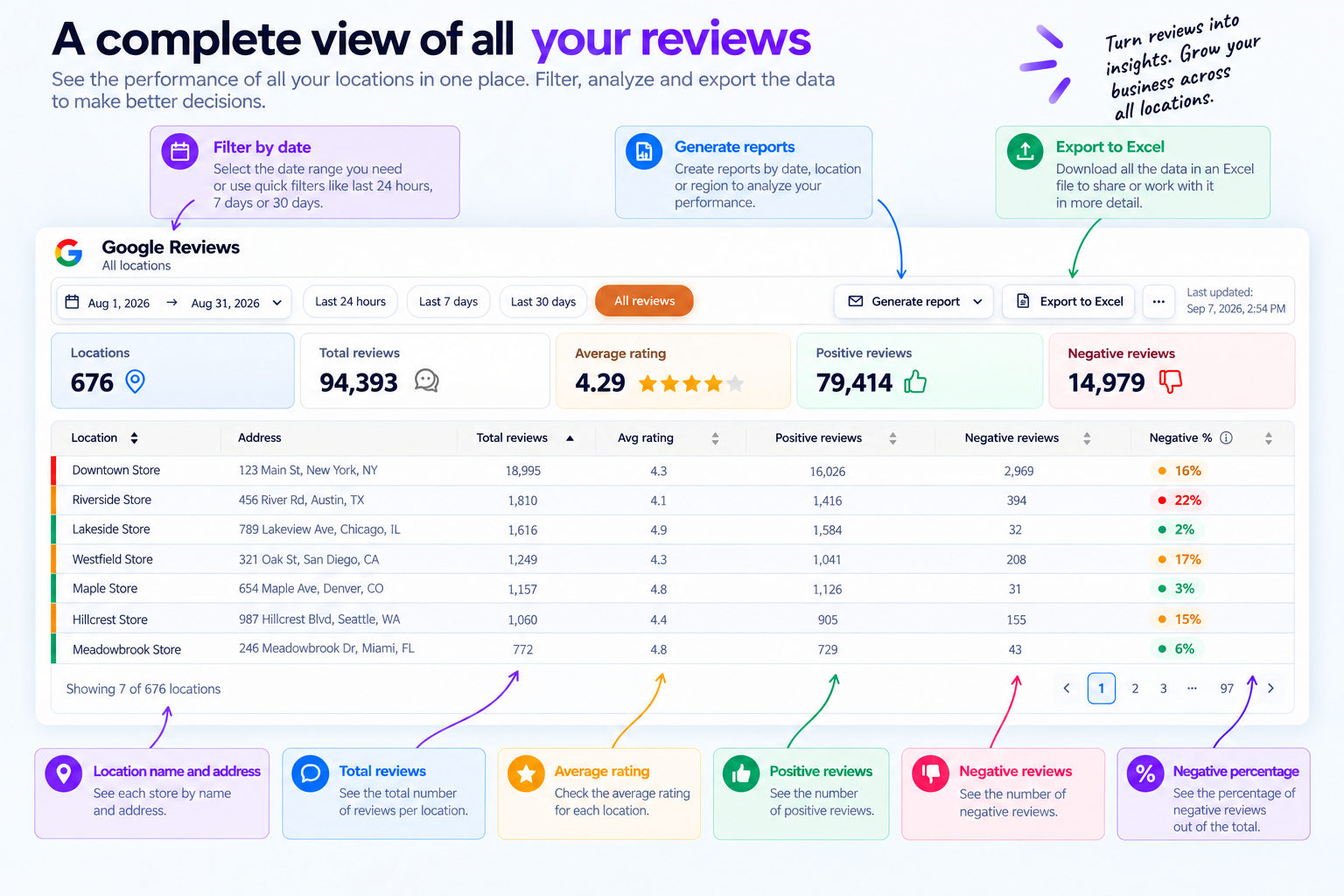
What is a Google reviews dashboard
A Google reviews dashboard centralizes reviews and performance data from every Google Business Profile in one place, making it easier for multi-location businesses to compare branches and identify customer experience issues.
In Cacao, teams can compare total reviews, average rating, positive reviews, and negative reviews by location and filter results by custom dates or the last 24 hours, last 7 days, and last 30 days to quickly spot changes and locations that need attention.
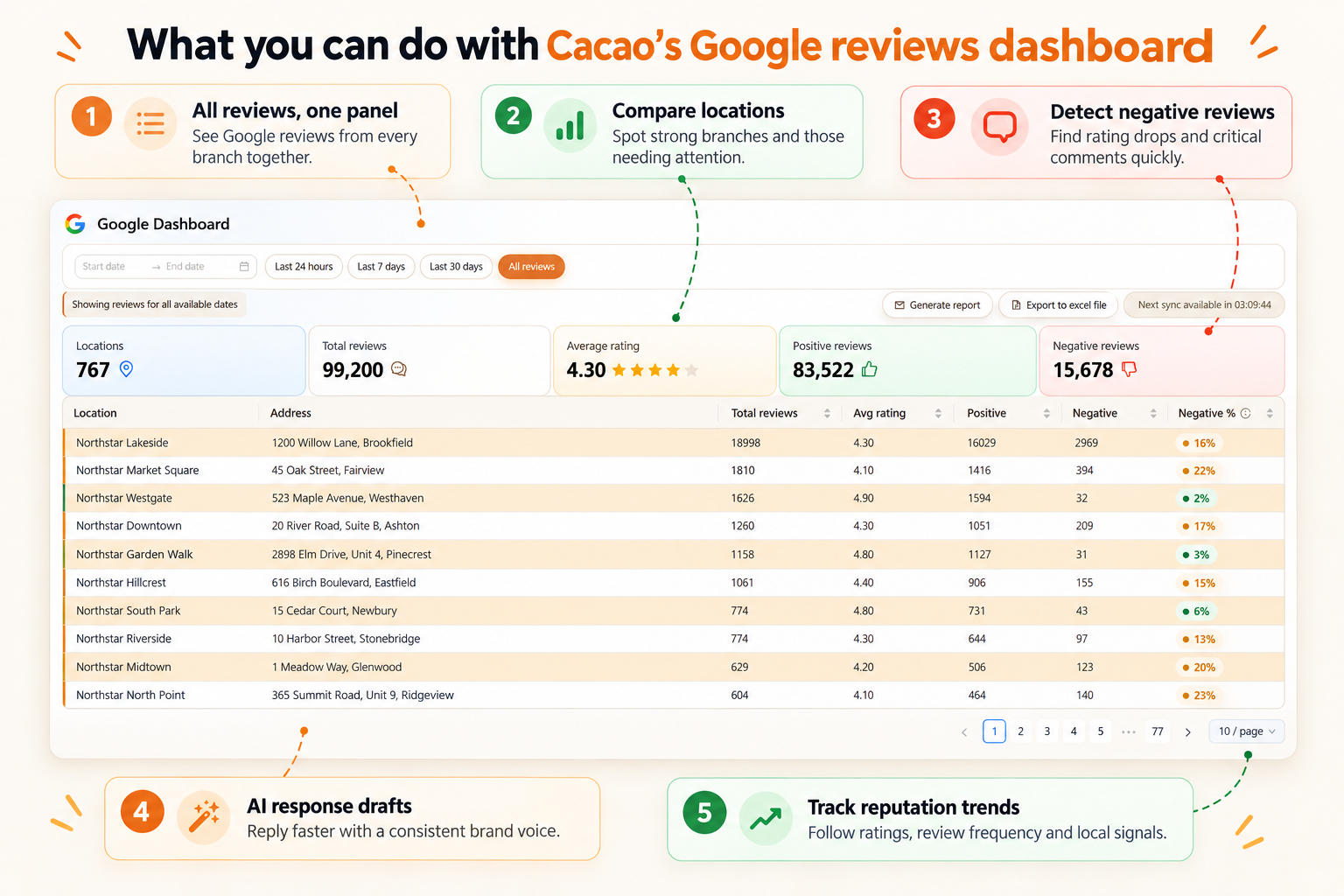
What you can do with Cacao's Google reviews dashboard
See all Google reviews in one panel
View all Google Maps reviews from your branches in a single dashboard without opening each profile manually.
Compare reviews and rating across locations
Analyze which branches deliver great experiences, which are losing reputation, and where to intervene first.
Detect recent negative reviews
Quickly identify rating drops, critical comments, and dissatisfaction patterns to act before issues escalate.
Automate review responses with AI
Cacao generates AI-powered response drafts to help you reply faster, keep brand voice consistent, and reduce operational load.
Analyze trends and reputation performance
Measure rating evolution, review frequency, branch distribution, and signals that can impact local SEO and strengthen your Google Maps optimization workflow.
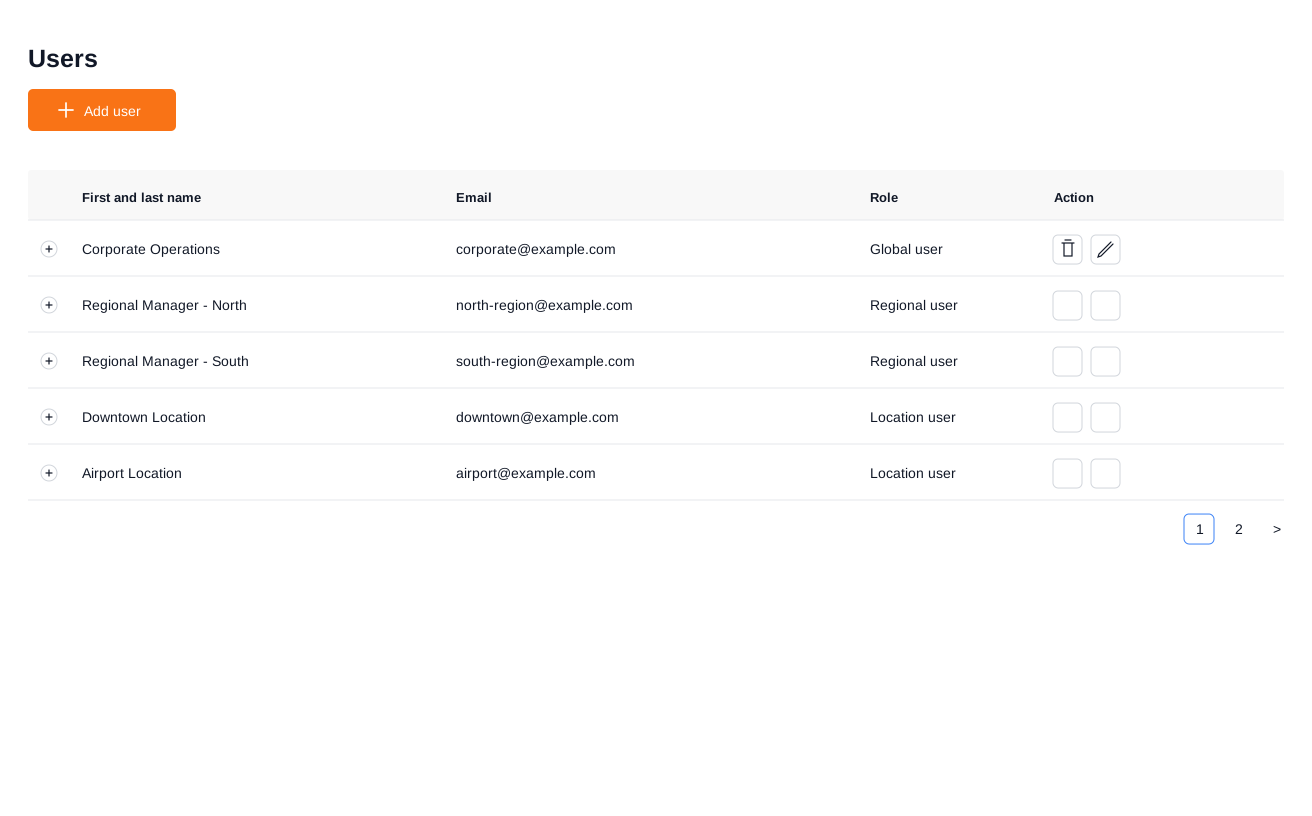
Give each team access to the locations they manage
A multi-location dashboard becomes easier to operate when access follows responsibility. Cacao supports role-based location access so global users can view the full network, regional users can manage assigned groups of locations, and location users can focus on one branch.
Pricing is based on locations rather than user seats, so businesses can involve the team members needed to manage reviews at scale.
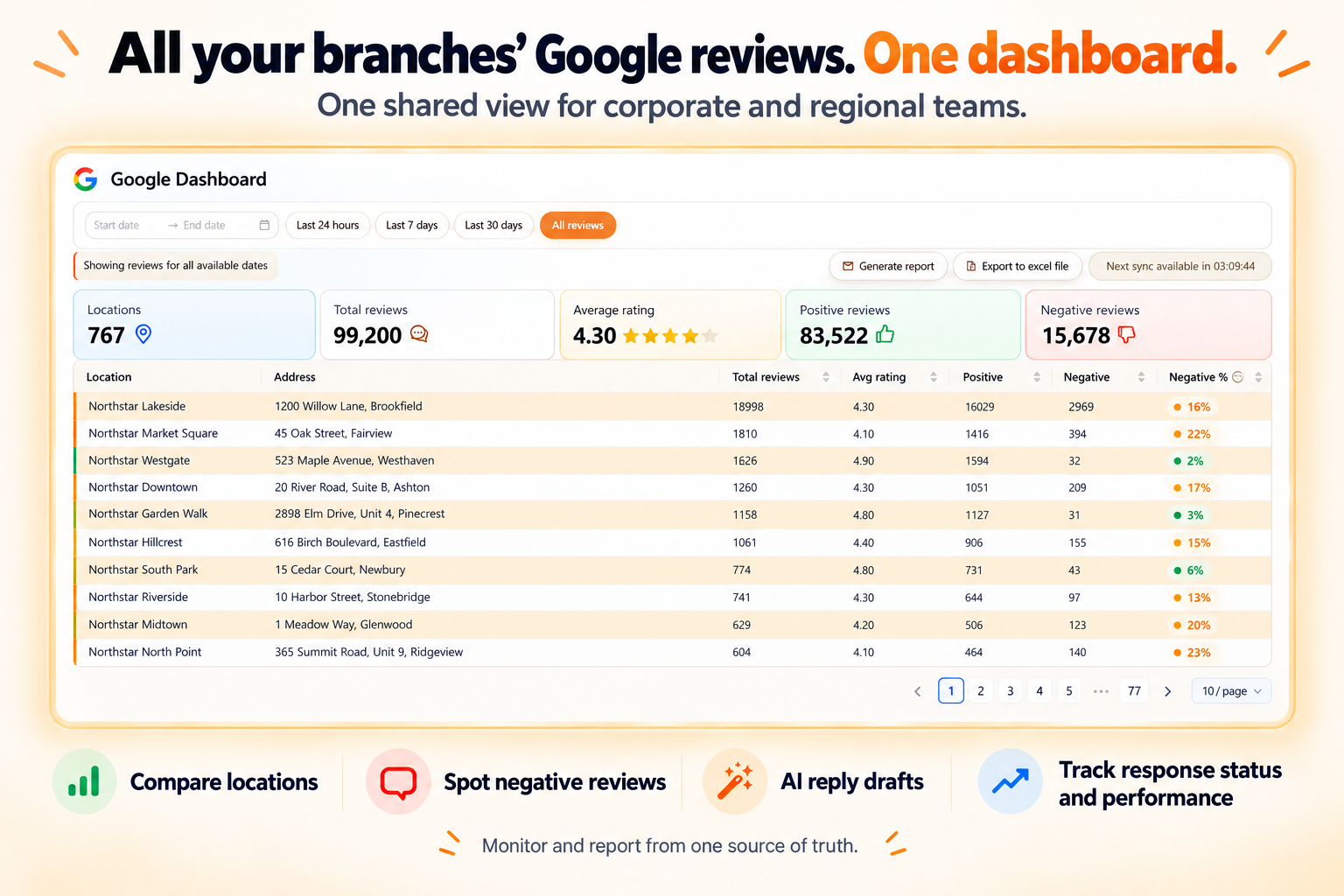
Can you view all Google reviews for your branches in a single dashboard?
Yes. With a specialized Google reviews dashboard like Cacao, a multi-location company can centralize review monitoring across multiple locations in one panel, compare locations, detect negative reviews, and automate AI replies.
For teams evaluating multi-location review management software, the dashboard is the monitoring and reporting layer: it centralizes reviews, ratings, response status, and location-level performance so corporate and regional teams can act from the same source of truth.
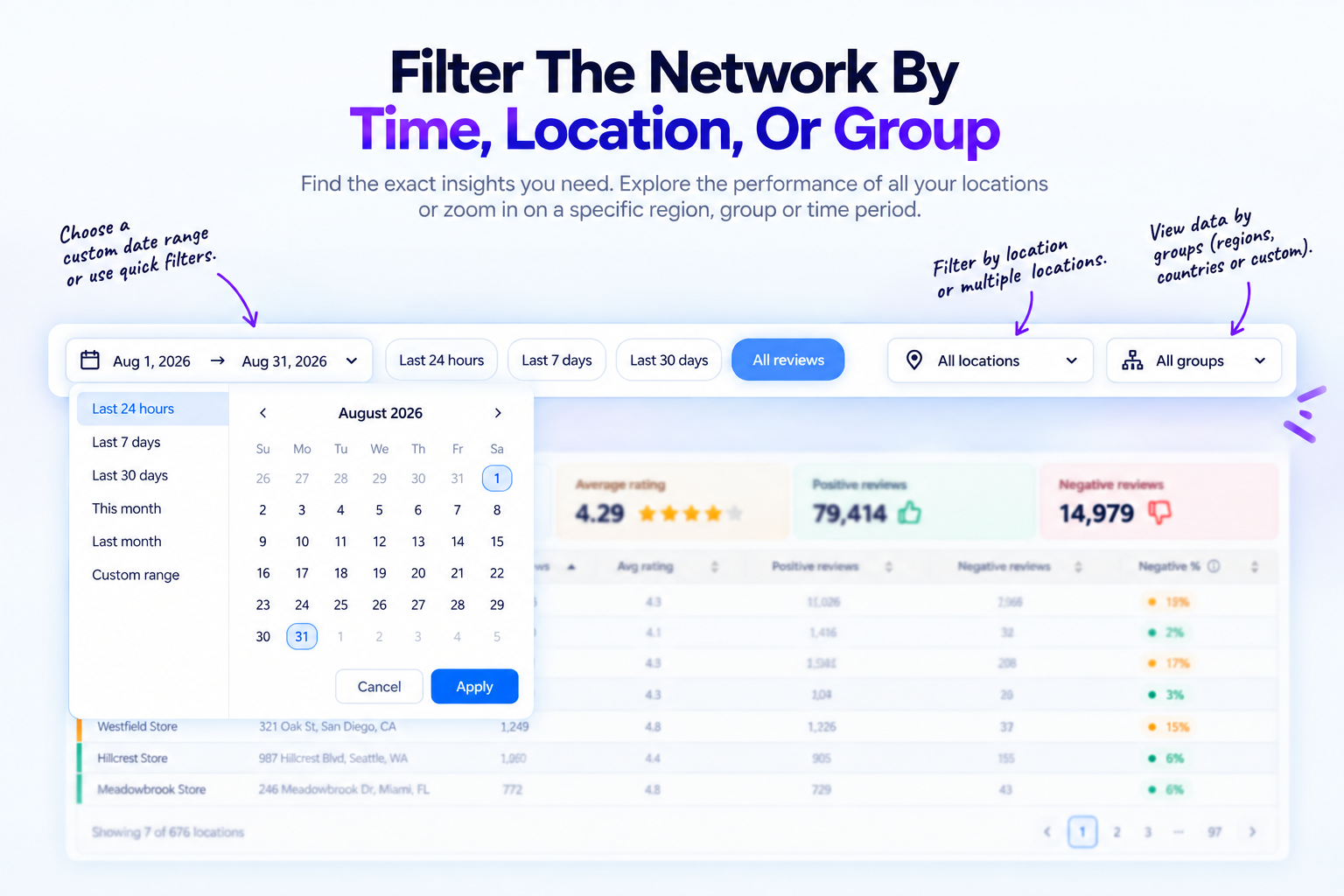
Filter the dashboard by organization, custom group, or location
Corporate teams can monitor the complete organization, narrow the dashboard to one or more custom location groups, or inspect an individual location. Groups can represent regions, countries, territories, business units, or any collection created by the customer.
The same dashboard supports corporate, regional, and local users. Role-based permissions determine which locations and groups each person can access.
For the methodology behind these metrics, see how to analyze Google Reviews.
Who is this Google reviews dashboard software for?
Cacao adapts the same centralized dashboard to different multi-location operations, from international retail networks to restaurant groups, home services, and healthcare practices.
Steren
800 Google Business Profiles across 9 countriesCorporate, country, and regional teams use one dashboard to compare performance across a large international network.
Explore retail review management
Pizzeria Popular
20,000+ reviews generated in five monthsRestaurant teams can monitor review growth and location performance across a multi-brand, multi-country operation.
Explore restaurant review management
Vital Supermayorista
20 locations and 1,000+ replies in the first monthRetail teams centralize store reviews, supervised AI responses, and location-level reporting in one workflow.
Explore retail review management
Chamtac Roofing
10 Google profiles managed across ArgentinaService-area teams keep local profiles organized while tracking reviews and visibility across every market.
Explore home services review management
Torreblanca Dental Practices
12 Google profiles managed from one platformDental teams centralize review generation, response workflows, and local performance tracking across practices.
Explore healthcare review management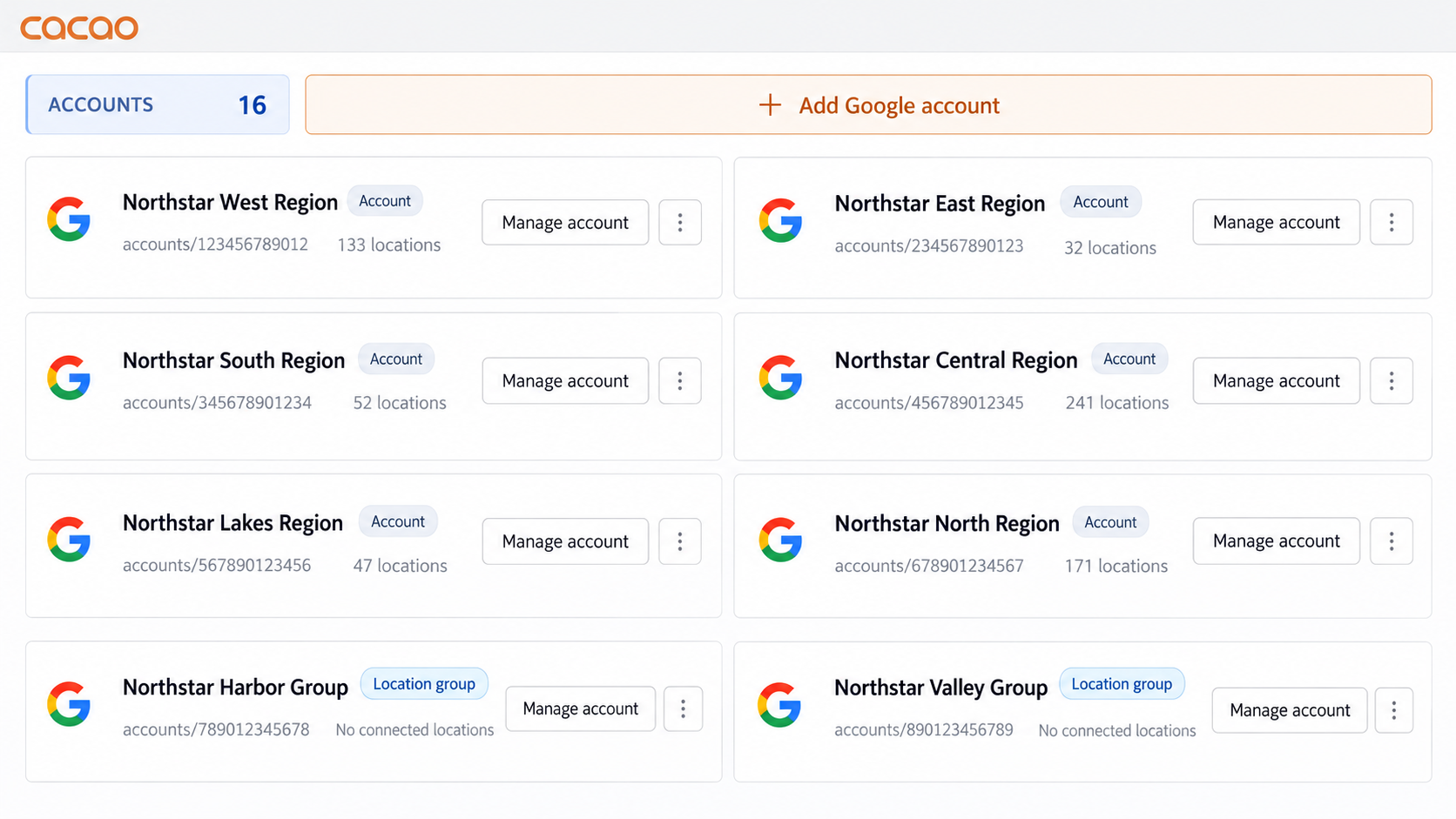
How Cacao’s Google reviews dashboard works
Connect your Google Business Profile listings
Link your profiles to start importing reviews and metrics from all locations in one place.
Cacao centralizes Google Maps reviews in one dashboard
The system automatically unifies each branch’s reviews into a single dashboard for simpler management.
The system organizes metrics, compares branches and flags critical signals
Review rating, volume and trends by location to prioritize actions with data.
AI automates replies and speeds up reputation management
Generate AI responses to keep consistency and reduce operational time for your team.
Centralize your Google reviews in a single dashboard
Enable Cacao to monitor all your branches, detect risks, and automate AI responses.
Frequently asked questions
What is a Google reviews dashboard?
A Google reviews dashboard centralizes reviews and performance metrics from multiple connected Google Business Profiles. It helps teams monitor ratings, review volume, negative feedback, response activity, and location-level trends from one place. For deeper topic and sentiment analysis, explore review analytics software for multi-location businesses.
Can I view Google reviews from all my connected locations in one dashboard?
Yes. Cacao brings reviews from connected locations into one dashboard, where corporate and regional teams can compare performance without opening each Google Business Profile separately. See how this works for multi-location review management.
Does Google provide a multi-location reviews dashboard?
Google lets businesses manage multiple Business Profiles. Cacao adds a centralized operational layer for comparing locations, filtering periods and groups, exporting reports, managing team access, and coordinating review responses at scale. Learn more about Google Business Profile management for multiple locations.
Which review metrics can I compare across locations?
You can compare total reviews, average rating, positive and negative reviews, negative-review percentage, review volume, and performance over selected reporting periods. The guide on how to analyze Google Reviews explains how to interpret these metrics.
Can reviews be answered manually or with automation?
Yes. Teams can respond manually, use AI-generated drafts with human approval, or configure automatic publishing according to their brand rules and review workflow. Explore automated AI review responses.
Can regional and local teams access only their assigned locations?
Yes. Cacao supports global, regional, and location-level access so each user can work with the locations they are responsible for. See how role-based location access works.
Can I filter and export Google review data?
Yes. Teams can filter by date, organization, custom location group, or individual location and export the relevant data to Excel. The multi-location marketing dashboard guide explains how to structure reporting across a network.
Can a Google reviews dashboard support local SEO?
A dashboard helps teams monitor ratings, review volume, negative feedback, and response activity across locations. These workflows can support a broader multi-location local SEO strategy, but using review-management software does not guarantee higher Google rankings.
Which types of multi-location businesses can use Cacao?
Cacao supports multi-location businesses, retail chains, restaurant groups, franchise networks, home service businesses, and healthcare practices that need centralized review monitoring and location-level reporting.